System / Project Template
Your Template is the heart of your production system.
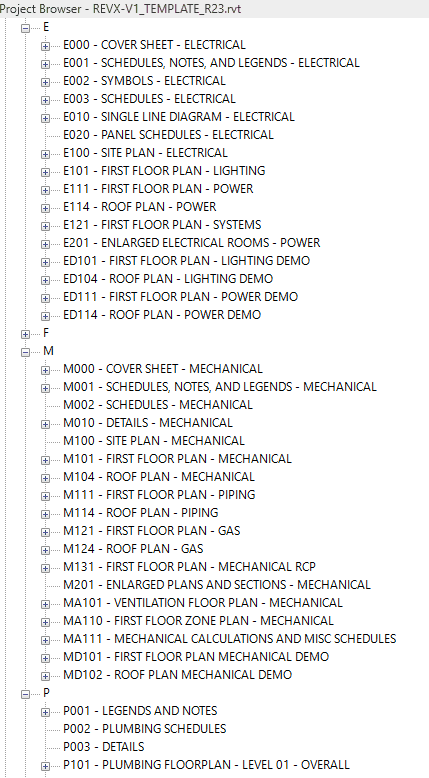
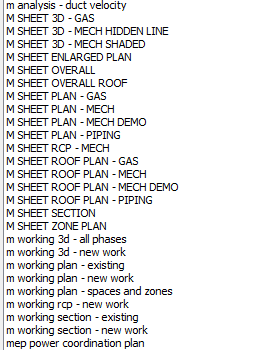
It is the source of truth for graphical standards, sheet setup, distribution system settings, symbols, lineweights, phasing, and more. It is where you store the look and feel of your drawings.
Half-finished or cobbled-together Templates are a liability. They result in inconsistent graphical standards, and require too much work on every project. They cause headaches for the production team for the life of the project.
It doesn't have to be this way. When built right and tuned for your practice, your Template can be your secret weapon. Imagine:
- Set up a typical project in less than an hour, from "the architect just transmitted their model" to "here's the full set check plot, ready for production."
- All discipline sheets look like they came from the same company.
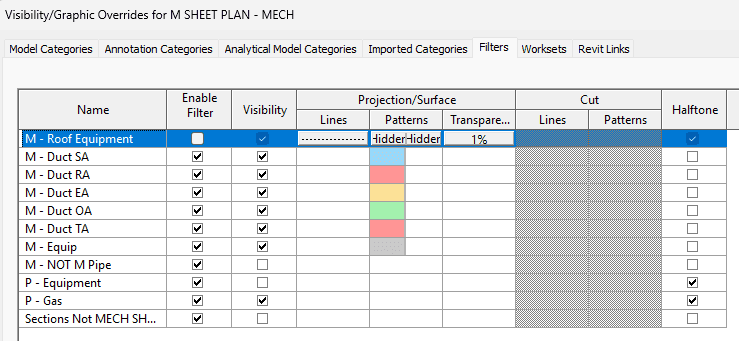
- Production staff doesn't have to fiddle with visibility settings - everything just works right out of the gate.
This is why we spent so much time developing the RevX Template, and why we continuously improve it. The quality of your Template matters tremendously.
We've set up hundreds of models ourselves, and we've helped clients set up hundreds more. Everything from 1,000sf tenant improvements to million square foot tech campuses. Everything in our Template is designed for simplicity, speed, and adaptability.
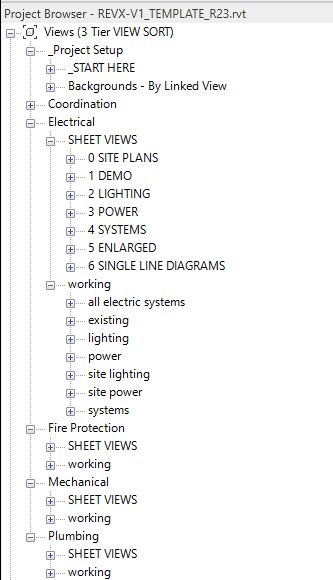
- The RevX Template is subtractive. Views for all disciplines are set up for nine floor levels, two roof levels, and two basement levels. When you delete the levels that don't exist in your project, all the associated levels go away.
- The RevX Template does away with the hack of using worksets like visibility layers, and uses Filters. It's more powerful, more adaptable, and doesn't rely on modelers remembering to set the right workset.
- The RevX Template comes with placeholder links already inserted. This means that instead of inserting a new Revit link, you do a Reload From, and the backgrounds will already look good. For a lot of projects, this is all you'll need to do. Background cleanup is already done.
There is a lot more in our Template that helps you get your projects into production fast. Our Training Videos cover model setup extensively.
For a lot of firms, their Template and standards is a constant struggle.
Your Template can be your secret weapon.
The Project Template ships as five Revit .rvt files: Mechanical, Electrical, Plumbing, Mechanical and Plumbing, and the full MEP template. Each is included with the matching RevX Pro bundle.
Inside the Project Template
A few of the pieces you inherit on day one.
RevX is built to work.
Do production in Revit fast and well, without a BIM department. Put together coordinated models that save you time during construction. Spend fee on engineering and design, not on fighting software.